
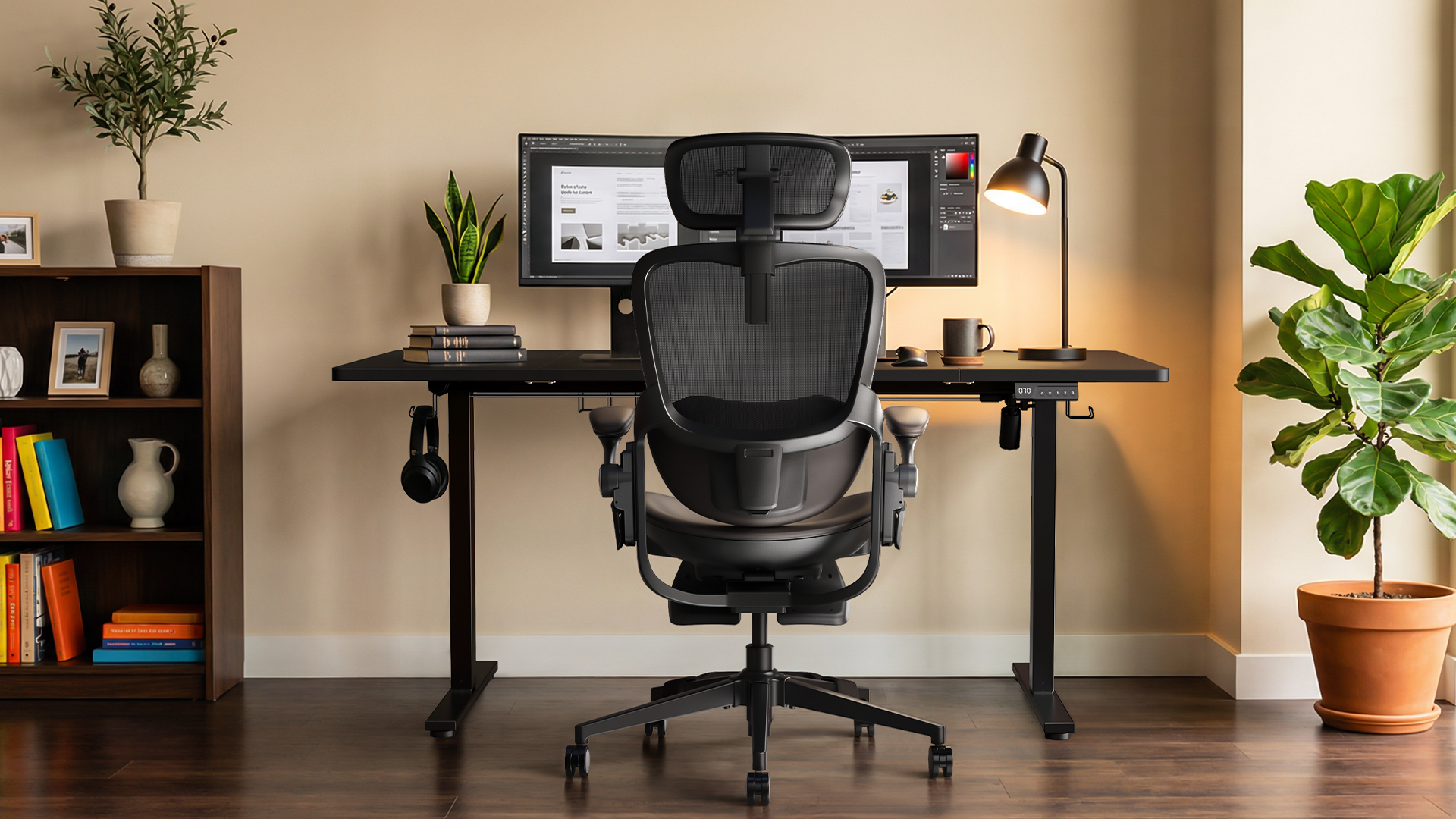
Working from home has become normal for many women in web design and other digital roles, especially as remote work continues to shape how people structure their daily routines. The work may look flexible from the outside, but the reality is often long hours at a desk, back-to-back calls, deep-focus tasks, and very little movement between them. This kind of work setup places continuous physical demands on the body.
Designers, SEO specialists, WordPress developers often spend long hours at their desks, moving between tasks and tools with little physical activity.
The chair matters more than many people realize.
A standard office chair may be fine for checking emails. It is not built for eight-hour workdays. A stylish accent chair may look good in a home office, but it may not support the neck, lower back, hips, arms, or feet.
That is why selecting a well-designed ergonomic chair is more than just about comfort; it is about creating a workspace that truly supports long hours of work at home.
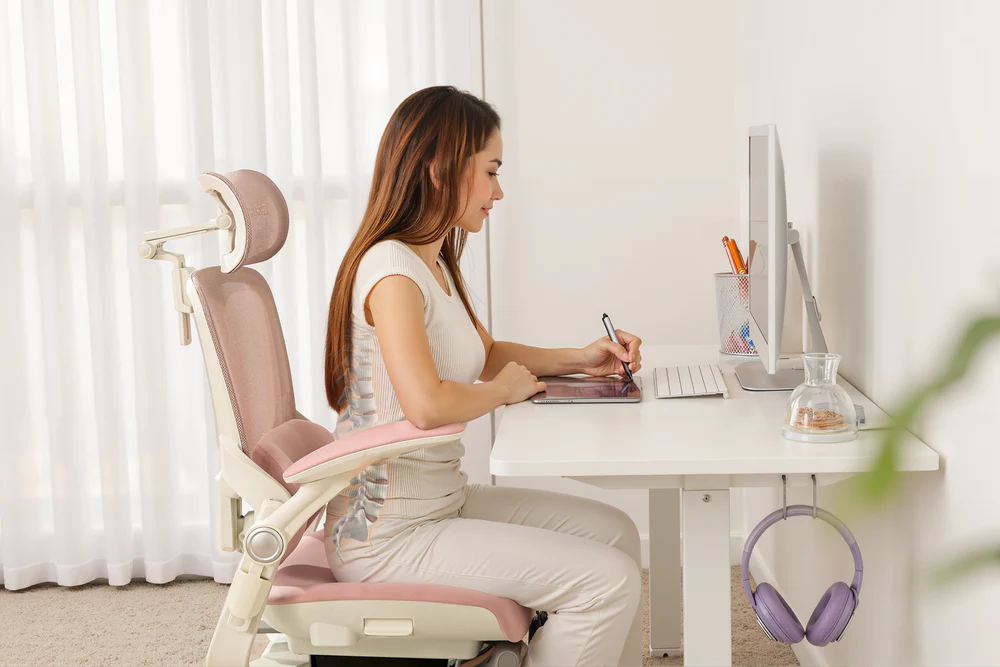
Why Women Need Better Work-from-Home Seating
Many office chairs are still designed around general body measurements. In practice, this often means they do not fit many women well, especially petite users or those with different body proportions than the assumed “average.”
At first, the mismatch may not feel obvious. The chair looks fine, and it may even feel acceptable for short periods. But over a full workday, those small mismatches start to show.
Common problems include:
- Feet not touching the floor properly
- Seat depth feels too long
- Lumbar support is sitting in the wrong place
- Armrests are blocking the desk
- Headrests push the neck forward
- Cushions feel too hard or sink too much
- Backrests trap heat during long work sessions
These issues are not small. When a chair does not fit, the body starts compensating without you noticing. You might slide forward slightly in your seat just to reach the floor.
You may lean toward your screen during long online meetings. Your shoulders may lift when your arms don’t have proper support. Over time, these small adjustments turn into habits.
The shoulders stay tense. The lower back loses its natural curve. The neck leans forward, especially during laptop work. Wrists and arms hang without proper support, leading to fatigue by midday. Even simple tasks like typing emails or reviewing designs begin to feel heavier than they should.
By the end of the day, the discomfort doesn’t stay at the desk. It follows you into the evening — during dinner, while resting, or even when trying to sleep.
For women whose work requires long hours at a desk, sitting for extended periods is simply part of the job.
The difference between a poorly fitted chair and a well-designed ergonomic one is not just comfort — it is how sustainable that work feels day after day.
A chair that properly supports the body reduces the need for constant adjustment. It allows you to stay focused on your work instead of shifting positions every few minutes. Over time, that kind of support makes a noticeable difference in both productivity and overall well-being.
What Makes a Chair Ergonomic for Women?
A women-friendly ergonomic chair should be adjustable enough to fit different body shapes and working habits. It should support focused work, short breaks, reading, calls, and even moments of rest.
The most important features include:
1. Neck Support That Actually Adjusts
Neck pain is common for remote workers. It often comes from looking down at a laptop, leaning toward a screen, or sitting through long video meetings.
Many standard office chairs that come with a fixed headrest do not work for everyone. If it is too high, too low, or angled poorly, it can create more strain instead of reducing it.
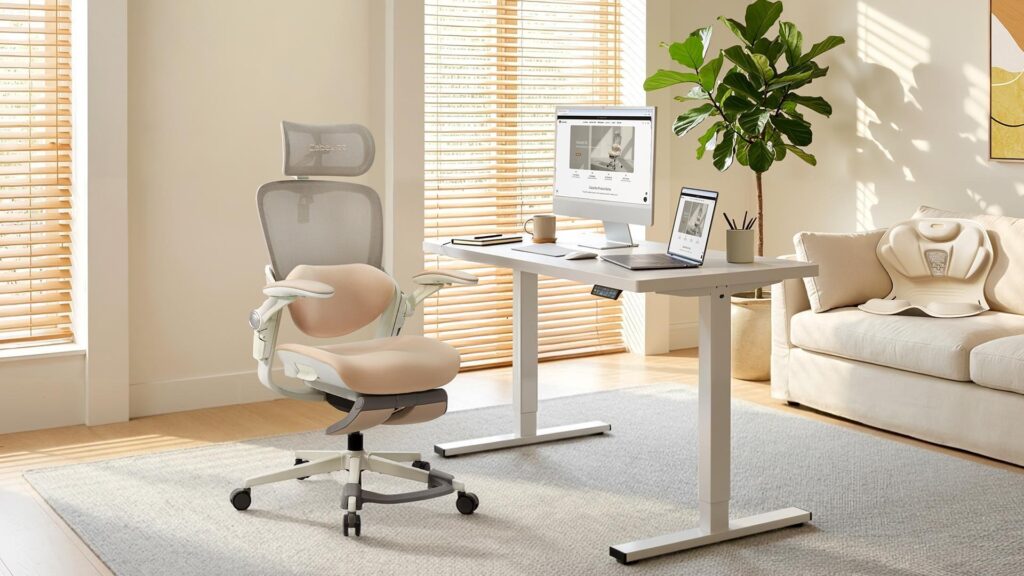
This is where models like the Cabevibe CabLady S2 become useful. A 4D headrest that adjusts in height, angle, and forward or backward position can better match the natural curve of the neck. It helps during typing, reading, video calls, and short breaks between tasks.
For digital professionals who spend the day switching between screens, this type of support can make a noticeable difference.
2. Lumbar Support for Real Lower Back Comfort
Lower back pain is one of the biggest complaints among people who work from home. Many chairs include lumbar support, but fixed lumbar support is not always helpful. If it does not align with the user’s body, it can feel awkward or ineffective.
Women, especially petite users, often need more precise adjustments. A floating adjustable lumbar support system can better follow the lower back and help reduce soreness from long sitting sessions, something that more advanced designs like the Cabevibe CabLady S2 aim to address with a floating lumbar structure.
Seat depth also matters. If the seat is too deep, shorter users may not be able to sit fully back while keeping their feet stable. For taller users, a seat that is too shallow may not provide enough thigh support. A 6 cm seat depth adjustment gives more room to fine-tune the fit, allowing the chair to adapt more naturally to different body proportions.
3. Armrests That Work in Small Spaces
A lot of home offices are not separate rooms. They are corners of bedrooms, shared living spaces, nursery areas, or compact desks.
Fixed armrests can become a daily frustration. They may hit the desk, stop the chair from sliding in, or force the user to sit too far from the keyboard. On the other hand, chairs without arm support can leave the shoulders and arms tired after hours of typing.
Flip-up 3D armrests solve both problems. They offer support when needed and can fold away when space is limited. Height and sideways adjustment also help support the arms more naturally during writing, designing, coding, or customer support work. CabLady S2 follows this approach, with adjustable armrests that can be lifted out of the way when space is tight.
4. A Cushion That Supports Long Workdays
A chair cushion should not feel like a wooden bench, but it also should not collapse after a few weeks.
For women who spend hours on SEO reports, SaaS dashboards, WordPress edits, or design revisions, hip pressure becomes a real issue. An 8 cm high-resilience cushion can help distribute pressure more evenly. The goal is to feel comfortable without sinking into a posture that strains the back.
This matters during full workdays, not just the first ten minutes of sitting.
5. Recline and Footrest for Breaks That Feel Restful
Remote work often blurs the line between work and rest. People may eat at the desk, take calls from the same chair, read reports after hours, or take short pauses between meetings.
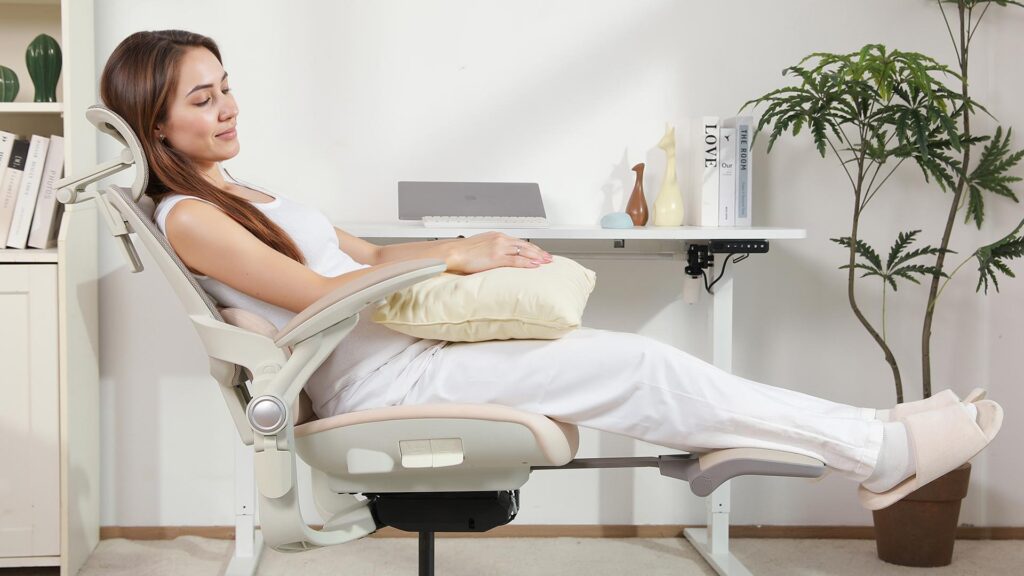
A chair with four reclining positions up to 136° gives more flexibility. It can support upright work, reading, and relaxed moments. A footrest adds full-body comfort, especially when the user wants to take pressure off the legs during a break. CabLady S2 includes this kind of recline range along with a built-in footrest, making it easier to shift between focused work and short periods of rest.
This is useful for anyone, but especially for mothers or caregivers who may only get short windows of rest during the day.
6. Petite-Friendly Foot Support
One overlooked issue in office seating is foot position. If a user’s feet do not touch the floor, the body feels unstable. The legs may dangle, the hips may shift forward, and the lower back may lose support.
Many standard office chairs are based on the proportions of average-height men. That can make them uncomfortable for petite women.
A chair with foot support designed for petite users helps create a more stable sitting posture. Keeping the feet supported can reduce strain and make long work periods feel less tiring.
7. Breathable Materials for Long Sitting
Leather and thick foam may look polished, but they can trap heat. For women working long hours in a home office, especially in warmer rooms, heat buildup becomes uncomfortable.
A mesh backrest and headrest help air move more easily. Breathability matters during long strategy calls, coding sessions, design revisions, and content planning days.
Comfort is not only about padding. Temperature matters too.
Product Recommendation: Cabevibe CabLady S2
For women looking for a chair that addresses these everyday problems, the Cabevibe CabLady S2 ergonomic chair for women is a strong option to consider.
It brings together several features that are especially useful for women working from home: a 4D headrest, floating adjustable lumbar support, 6 cm seat depth adjustment, flip-up 3D armrests, an 8 cm high-resilience cushion, four reclining positions, a footrest, petite-friendly foot support, breathable mesh, and a durable build that supports up to 330 lb.
What makes it practical is not one single feature. It is the way those features answer real work-from-home pain points.
The chair also avoids the bulky look of many traditional office chairs, which matters when the workspace is part of a bedroom, nursery, or shared room.
A Thoughtful Mother’s Day Upgrade
Many women spend their days supporting everyone else: children, partners, clients, teams, customers, and households. Often, in the flow of supporting everyone else, their own needs can go unnoticed.
A chair may not be the first thing people think of for Mother’s Day, but it can be one of the most practical gifts. A better chair is not a dramatic gesture, but it is one that can improve everyday life in a lasting way.
If your mom, partner, or a woman in your life has been mentioning back pain, neck stiffness, or general fatigue at her desk, that is exactly the gap this kind of gift fills.
This Mother’s Day, instead of flowers that fade or a gift set that sits in a drawer, consider giving something that changes how she feels every single day. A chair that was actually designed around a woman’s body, not retrofitted from a standard office spec.
The Cabevibe CabLady S2 ergonomic chair for Mother’s Day lifestyle upgrade is one of the few chairs on the market built from the ground up with petite and average-height women in mind, covering the range from 4’9″ to 5’11”.
How to Choose the Right Ergonomic Chair in 2026
Before buying an ergonomic chair, consider how it will be used.
Long digital workdays: Prioritize adjustment over appearance alone. A chair should let you change the headrest, lumbar support, armrests, seat depth, and recline. It should fit your body, not force your body to fit the chair.
Small spaces: Check whether the armrests flip up and whether the chair can slide under the desk.
For Petite users: seat depth and foot support are especially important.
For mothers, parents caring for infants, and women balancing home and work: Comfort during breaks matters as much as comfort during typing.
Warm workspaces: Choose breathable materials like mesh instead of heat-trapping upholstery.
Long-term value: Look for durability, tested safety, and reliable weight support rather than focusing only on price.
Conclusion
The best ergonomic chairs for women working from home in 2026 should support the reality of modern digital work. That means long screen hours, small spaces, multitasking, client calls, creative work, technical tasks, household responsibilities, and the need for real comfort.
A good ergonomic chair should reduce neck strain, support the lower back, ease hip pressure, help the feet stay stable, keep the body cooler, and make short breaks more restorative.
For women working in remote digital roles, investing in a better chair is not just about the workspace looking professional. It is about making the workday easier on the body.
The Cabevibe CabLady S2 is a strong choice because it is designed around specific pain points many women face when working from home. It offers adjustability, petite-friendly support, breathable comfort, and a design that can fit both work and home life.
Whether it is chosen as a Mother’s Day gift, a self-care upgrade, or a practical improvement to a remote workspace, the right ergonomic chair can make everyday work feel less exhausting and more supported.