(photo credit: Microsoft Stock Images)
Relocating an office involves much more than packing furniture and transporting equipment. Every business relies on technology to communicate, serve customers, and support daily operations. Without careful planning, an office move can result in network outages, misplaced equipment, lost productivity, and unnecessary delays. Preparing technology well before moving day helps organizations reduce disruptions while making the transition to a new workspace more efficient.
Create a Complete Technology Inventory
The first step is identifying every piece of technology that will be relocated. Computers, monitors, servers, printers, networking hardware, phones, security systems, and accessories should all be documented before packing begins.
Labeling equipment according to department, workstation, or room assignment simplifies installation at the new office. Recording serial numbers, asset tags, and equipment condition also helps verify that everything arrives safely.
An office move also provides an opportunity to evaluate aging hardware. Devices approaching the end of their useful life may be better replaced before the move instead of transporting outdated equipment into a new workspace.
Protect Business Data Before Packing
Backing up company data is one of the most important steps before disconnecting equipment. Although technology can usually be transported safely, unexpected damage or hardware failures can occur during any relocation.
Verifying cloud backups, creating current server backups, and confirming that critical business information can be restored helps reduce risk. Businesses should also document network settings, software licenses, administrator credentials, and equipment configurations before systems are disconnected. Employees should be reminded to save active work and organize important files before moving day to minimize disruptions after reopening.
Prepare the New Office Before Arrival
Technology installation should begin before employees arrive whenever possible. Internet service, phone systems, wireless networks, and security systems should all be tested before the first day of business.
Floor plans should identify workstation locations, network drops, power outlets, printers, and shared equipment. Planning these details early reduces unnecessary cable runs and prevents equipment from being relocated multiple times after installation.
Meeting spaces also deserve careful planning. Scheduling conference room AV installation before employees begin using the office helps ensure presentation systems, video conferencing equipment, displays, and audio systems are fully operational for client meetings and internal collaboration.
Test Every Critical System
Installing equipment is only part of the process. Every major system should be tested before normal operations resume. Internet connectivity, printers, file sharing, cloud applications, security cameras, access control systems, and communication platforms should all be verified.
Individual workstations should also be inspected to confirm monitors, keyboards, docking stations, and phones function correctly. Addressing small technical issues immediately prevents them from becoming larger productivity problems during the first week in the new office. Creating a checklist for each department helps ensure no important systems are overlooked during final testing.
Prepare Employees for the Transition
Clear communication reduces uncertainty during an office relocation. Employees should receive updated floor plans, moving schedules, login instructions, parking information, and technology expectations well before moving day.
Providing temporary support resources during the first few days after the move allows technical questions to be resolved quickly. Assigning IT staff or designated technology coordinators to assist employees helps minimize downtime while encouraging a smoother transition.
Collecting employee feedback after the move can also identify issues that require additional attention. Small adjustments to workstation layouts, wireless coverage, or shared equipment often improve productivity once teams begin using the space.
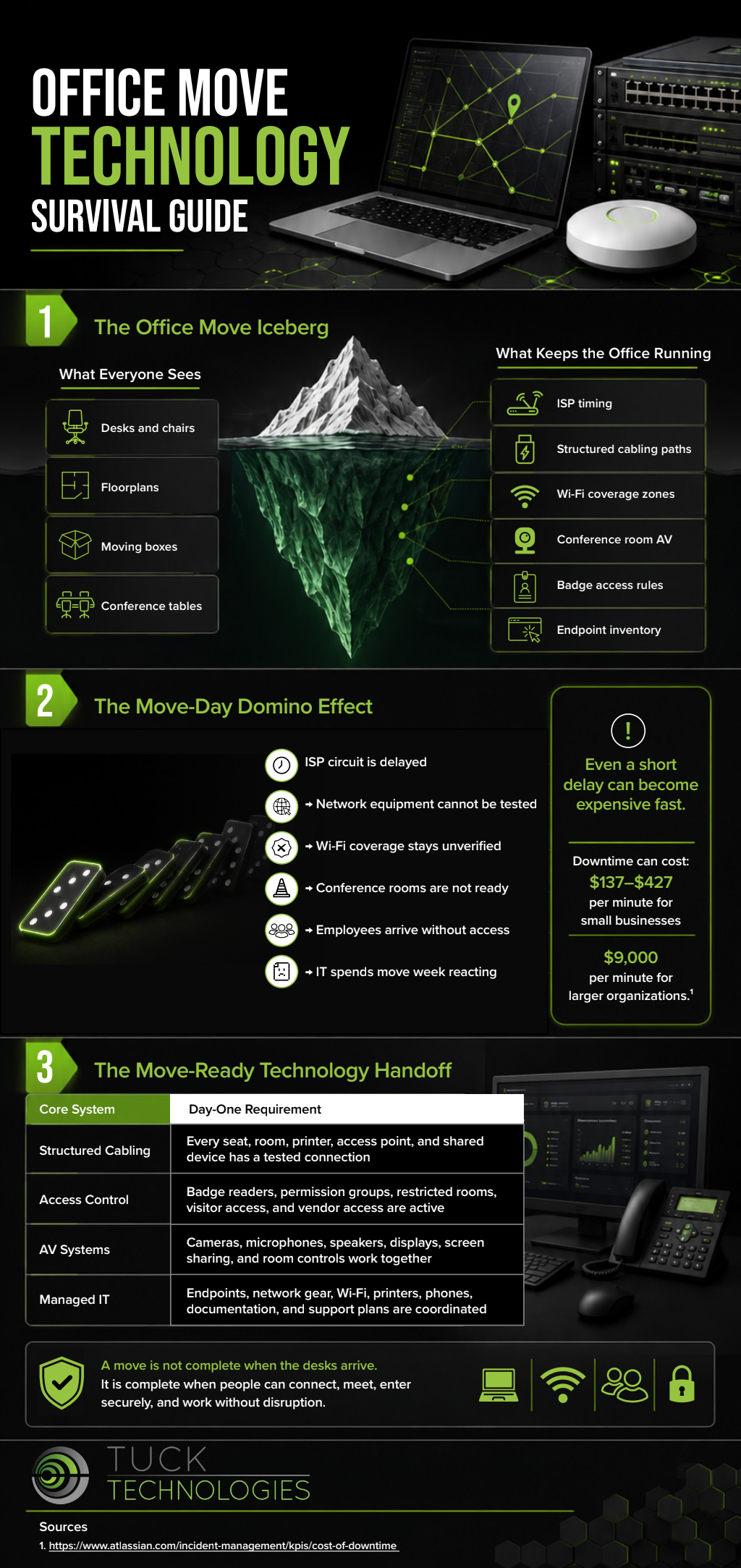
A successful office relocation depends on careful technology planning as much as physical logistics. Thorough inventories, reliable data protection, early network preparation, complete system testing, and clear employee communication all contribute to a smoother transition. Businesses that prioritize technology throughout the relocation process are better positioned to maintain productivity, protect valuable information, and begin operating confidently from their new location. Look over the infographic below to learn more.